All posts · Updated · 9 min read
Mobile Games With Voice Chat to Play One-on-One With Friends
Find the best 1v1 mobile games with voice chat, compare live duels and friend challenges, and learn how to control voice settings and protect your privacy.
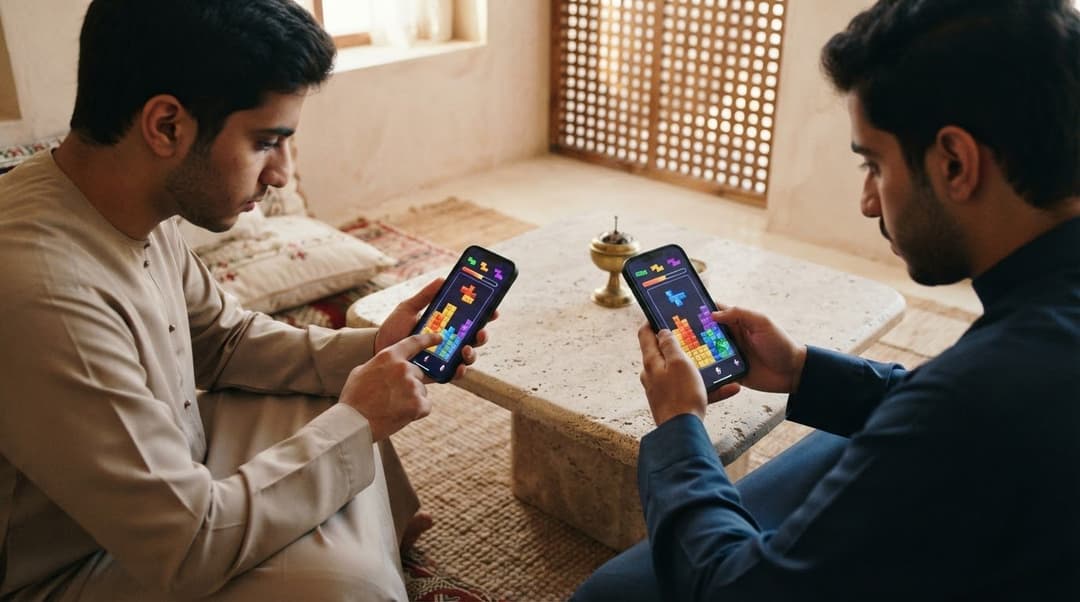
The best 1v1 mobile games with voice chat pair a direct friend match with control over when you speak, while open-mic play with strangers brings different safety trade-offs.
Chat type matters: squad voice connects teammates, proximity chat can include nearby players outside your team, and a friend duel keeps the focus on the person you invited.
This guide compares chat options and explains what to consider for one-on-one play, including voice controls and practical ways to protect your personal information.
Key Takeaways
- Choose between team voice, proximity chat and a direct friend match based on who you want to hear.
- Compare live duels with anytime challenges to find a play style that fits your schedule.
- Look for fair match setups: identical boards and a shared piece sequence keep the contest focused on play.
- See how optional voice controls, daily puzzles and account deletion fit into your mobile gaming choices.
Table of Contents
- 1. In-game chat types
- 2. Mobile games for playing with friends
- 3. Mobile games with real-time voice chat
- 4. Which 1v1 mobile games support voice chat on iOS and Android?
- Live duels
- Combo Rival: Combo Rivals: Block Puzzle (free mobile game)
- Account deletion
1. In-game chat types
Mobile games may offer text chat, squad voice, or proximity voice. Text chat lets you type a quick “gg” without speaking. Voice chat carries live audio, making callouts quicker but more personal. For a one-on-one match, check whether the voice channel connects only you and your friend.
Squad voice connects teammates wherever they are. Proximity chat reaches nearby players, including people outside your team. In a two-player duel, squad voice links teammates, while proximity chat may let nearby strangers hear you.
That difference affects privacy. In an open voice channel, use mute and report controls if needed, and keep your real name, phone number, and location private. Before joining, find out who can hear you and where to mute or report a player.
Match the channel to the people and goal. Use text for a quick message, squad voice for team calls, or a friend-only channel for a focused duel. Before you queue, check who can hear you and how to mute or report a player if the game provides those controls.
Treat chat as a place where personal details should stay private, whether you are typing or speaking. Avoid sharing identifying information in either format, and keep conversations focused on the match. Protecting personal information matters across all in-game chat types, including exchanges with teammates or friends.
2. Mobile games for playing with friends
For a friend match, choose a game with a clear head-to-head mode. Puzzle games reward placement and planning, racing games test timing, and card games make each move a read of your opponent. Decide whether you prefer quick reactions or deliberate turns.
Live matches put both players in the same round, while asynchronous challenges let you take turns at different times. A score challenge can suit friends in different time zones. A friend invite focuses the matchup on the person you chose, rather than a public queue. Check whether the game supports rematches or lets you compare scores later.
Some mobile games are free to download and play, and in-app purchases vary by title. Check whether an item changes appearance or gameplay. A cosmetic skin changes visuals; a fair duel should still depend on play, not optional purchases.
Before inviting a friend, choose the format and send an invite through the game’s friend or challenge feature. For example, choose a live puzzle round if you both want to compete now, or an anytime score challenge if your schedules don’t line up. Confirm the game supports your preferred format, then agree on a rematch if you want another round.
3. Mobile games with real-time voice chat
For cross-platform 1v1 voice, choose a game that supports both cross-platform play and voice between friends. One feature doesn’t guarantee the other. Check the game’s friend-match settings for platform support before inviting someone on another device.
There’s no reliable way to name a voice-quality winner without testing specific games. Look for clear audio, working mute controls, and accessible reporting tools. Some games restrict or filter chat for younger players, and moderation tools matter especially in open channels with strangers.
Yes, mobile games with voice chat are available worldwide. Features can vary by game and account settings, so check the in-game audio menu and age controls. Keep personal details out of voice conversations, even during a private match.
To enable voice in a supported game, open Settings, then Audio or Voice Chat. Allow microphone access when prompted by your device. Join a friend match, select the voice channel, and unmute when you’re ready to speak. If the microphone stays silent, check device permissions and the game’s mute control. Test the setup before a competitive round, not mid-match.
Protect your personal information when using in-game chat, keeping that same care throughout conversations and avoiding unnecessary disclosure as play continues.
4. Which 1v1 mobile games support voice chat on iOS and Android?
On iOS and Android, a game’s store listing shows device support, not necessarily voice chat or cross-platform play. Look for three features in its match details: 1v1 friend invites, in-game Voice chat, and play between both operating systems. A friend invite alone doesn’t prove voice works across platforms.
Use a quick check before choosing a game. Open Settings and find Audio or Voice, then inspect the friend-match options. If the menu offers party, squad, or proximity chat, check who can hear you. For a private duel, choose a channel limited to invited players when available.
Support and setup vary by title. Have each player open the same game, send a friend invite, and confirm voice controls appear after joining. Test the microphone before starting a timed round. If one player can’t hear the other, check microphone permissions and the game’s mute setting.
Give moderation equal weight. Look for mute and report controls, especially if strangers can enter shared voice channels. Keep real names, phone numbers, and locations out of chat. The right fit supports both devices, your preferred 1v1 format, and clear control over who hears you.
Live duels
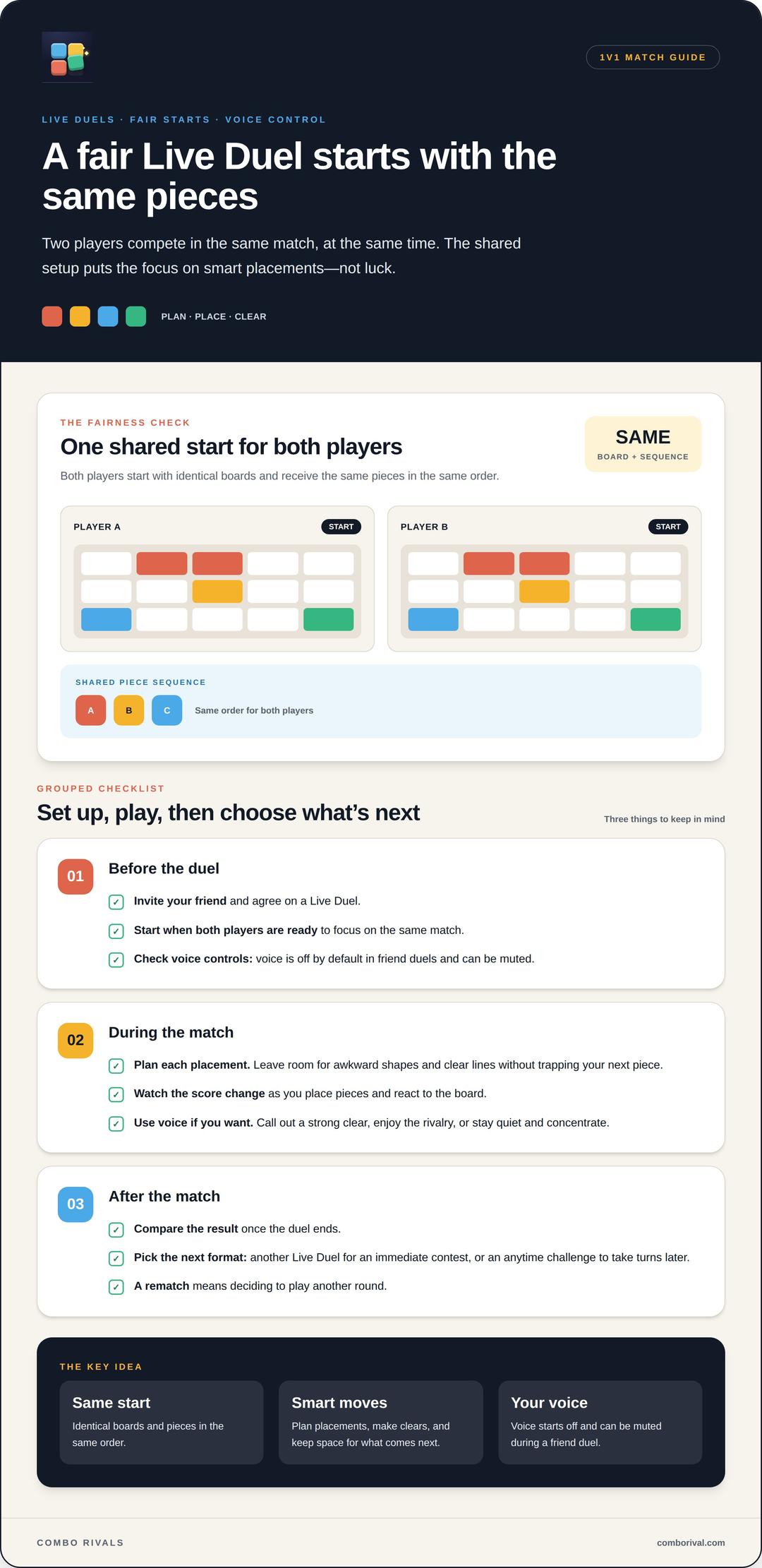
A Live Duel puts two players in the same match at the same time. You place pieces, read the board, and react as the score changes. It’s a more immediate contest than an anytime challenge, where each player can take a turn later. Choose live play when you and your friend are both ready to focus.
In a block puzzle duel, a fair start matters. Both players receive the same pieces in the same order, so neither gets an easier opening. Plan each placement, leave room for awkward shapes, and clear lines without trapping your next piece. The shared setup makes decisions, not luck, the focus.
Voice chat adds quick coordination and friendly rivalry while you play. In friend duels, voice is off by default and can be muted, so you control when audio is on. Call out a strong clear, tease a close score, or stay quiet and concentrate. Your board still demands smart moves.
Before the match, invite your friend and agree on a Live Duel. Check the voice control, then start when both players are ready. At the end, compare the result and choose an anytime challenge or another Live Duel. A rematch lets you decide whether to play again.
Combo Rival: Combo Rivals: Block Puzzle (free mobile game)
Combo Rival’s Combo Rivals: Block Puzzle is a free mobile game for one-on-one block puzzle matches. Choose a live friend duel when you both want to play now, or an anytime match when your schedules don’t line up. Voice chat is available in Live Duels when both players are 16 or older and have enabled it.
Prefer a solo session between matches? Try the Daily puzzle challenge for a focused board to tackle on your own. It gives your puzzle practice a different pace from a live rivalry, with no need to coordinate a start time with a friend.
The Season Pass has free and premium tracks, with the premium track offering optional rewards for that season. You can play without treating extras as a requirement for a duel. Choose the track that suits you, then return to the mode you want: a Live Duel, an anytime friend challenge, or a Daily Puzzle.
If you’re weighing the best 1v1 mobile games with voice chat, this one is built around block-puzzle duels with friends. Pick live play for a shared session, or anytime play when you can’t sync schedules. The Daily puzzle and Season Pass add other ways to spend a round beyond head-to-head matches.
Account deletion
Deleting an account is different from removing a game from your phone. Uninstalling clears the app from your device, but doesn’t necessarily close the account or erase its data. If you want to leave a game, look for account deletion in its settings or privacy menu. Don’t assume removing the app completes the process.
Start by opening the game and checking its account, privacy, or support settings. Follow any deletion instructions shown there, and read each confirmation screen before submitting a request. If you can’t find an account option, use the game’s support channel to ask how deletion works. Avoid sharing your password or sign-in codes in a support message.
Before confirming, review what the deletion process says it affects. It may change access to your profile, saved progress, or friend matches. Don’t assume reinstalling the game will restore a deleted account. If you’re unsure about losing saved progress or purchases, pause and read the terms shown in the game before continuing.
For help with an account deletion question about Combo Rival, contact Combo Rival.
Frequently Asked Questions
Is in-game chat safe?
In-game chat isn’t automatically safe; the audience and channel matter. When choosing among the best 1v1 mobile games with voice chat, check whether you can control who hears you and mute unwanted speakers. Treat open voice or text lobbies as public. Don’t share your full name, location, school, phone number, or account details. Leave a channel if someone makes you uncomfortable.
What mobile games have chat?
Chat options vary by game. Some mobile titles offer typed messages, while others include voice for team play or friend matches. Combo Rivals: Block Puzzle supports voice in friend duels. Before playing, look at the game’s chat settings and audience controls so you know whether messages are typed, spoken, or limited to invited friends.
What are the best 1v1 mobile games with built-in voice chat?
For a one-on-one block puzzle match, Combo Rivals: Block Puzzle offers live and anytime friend duels with voice chat. It’s one option to consider among the best 1v1 mobile games with voice chat. In Live Duels, voice works only when both players are 16 or older and have enabled it, making it a fit for eligible friends who want to talk during a puzzle match.
Which mobile 1v1 games let players use voice chat with friends or private rooms?
Combo Rivals: Block Puzzle lets friends play one-on-one duels with voice chat. Its documented option is a friend duel; “private room” isn’t the name used for that feature. If you want a friend-only match, use the friend-duel option instead of assuming a public queue limits who can join or hear the conversation.
What privacy and safety risks come with voice chat in mobile games?
Voice can reveal personal details through what you say, even without sharing a username. Keep identifying information and account credentials out of conversation, and don’t record another player without consent. Combo Rival’s voice chat isn’t recorded or stored by the developer, but someone else may still hear details you choose to share.
Are the recommended 1v1 mobile games free?
Some mobile games are free to download and play. Combo Rival is free to download and play, with free and premium Season Pass tracks.